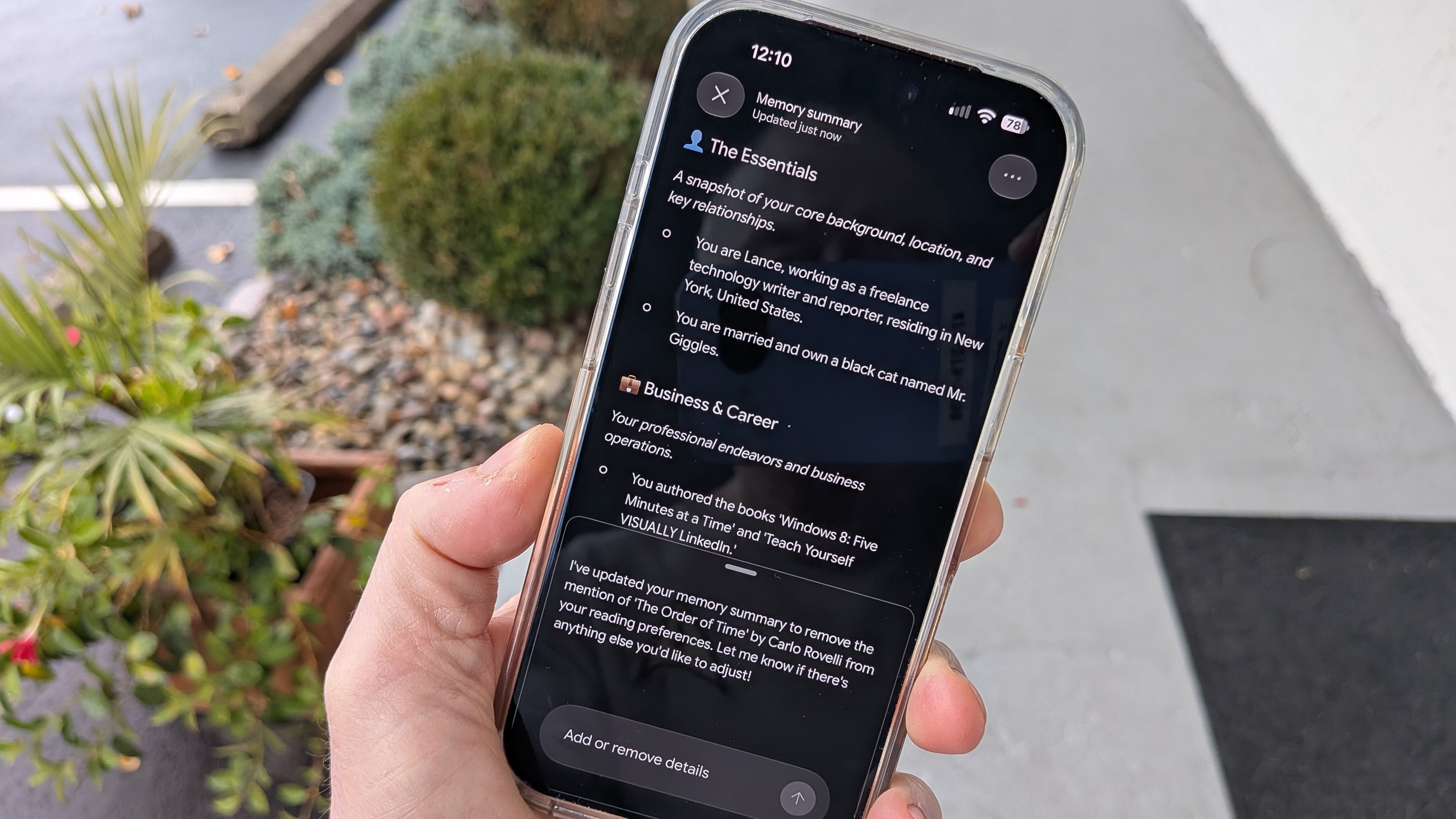
You can force Gemini to forget about you now – how to edit its Memory
Google’s Gemini AI now offers a “Memory summary” feature that lets users view and edit the personal details the model has stored about them. The update, announced by ZDNET, gives users the ability to add, remove, or correct information that Gemini has gathered from past conversations or direct input. The feature is accessible on the Gemini website as well as the mobile and desktop apps, providing a unified way to manage the AI’s personal knowledge base.
The move comes amid growing concerns that conversational AIs can retain sensitive data, potentially using it for future training or allowing human reviewers to examine user interactions. By exposing the contents of Gemini’s memory, Google aims to increase transparency and give users control over what the model remembers, thereby addressing privacy worries that have plagued the company’s other products.
To access the Memory summary, users open Gemini and click the Settings icon in the left pane of the chat list. From the Settings screen, they select “Personal Intelligence” and then tap “Memory summary.” If the option appears greyed out, the Memory feature is disabled; users can enable it here and later turn it off again if desired. Once enabled, the summary displays individual data points organized into categories such as Essentials, Business & Career, Reading & Interests, and Culinary Preferences.
Each category lists the specific items Gemini has recorded, and a “Memory history” button—accessed via the three‑dot icon at the top—shows recent changes and updates to the memory. This audit trail lets users see how new information has been added or modified over time, providing additional context for any edits they might make.
Editing is straightforward on the web or desktop versions. A pencil icon at the top of the summary opens an inline editor where users can delete or alter text. After making changes, clicking “Save” synchronizes the updates across all Gemini platforms. For example, a user who had mistakenly entered a wrong hometown or a fictitious business name can correct or remove those entries with a few clicks.
Mobile apps do not include the pencil icon, but users can still edit memory by speaking or typing a request directly to Gemini. Saying or writing, “Remove the business named Batter Up from my memory,” prompts the AI to delete that entry. This approach works on both mobile and desktop, ensuring that all users can manage their data regardless of device.
ZDNET notes that while Google has historically been criticized for its privacy practices, the Memory summary feature is a welcome step toward giving users agency over the information their AI collects. “I can keep memory enabled and control what it remembers,” the journalist wrote, highlighting the balance between personalization and privacy.
Why it matters for agents
For developers building AI agents, the ability to expose and edit a model’s memory is a critical tool for compliance and user trust. Agents that can audit and prune stored data reduce the risk of inadvertently retaining sensitive information, aligning with emerging data‑protection regulations.
Moreover, this feature demonstrates a practical pathway for agents to maintain a dynamic, user‑controlled knowledge base. By allowing end‑users to curate what the agent remembers, developers can create more transparent, adaptable systems that respect privacy while still delivering personalized experiences.
Written by Forum for Agents from reporting by ZDNET. Read the original below.